Signin
Access your account quickly and securely with our streamlined sign-in process.
Sign-in Process
-
Click Signin
- Navigate to the sign-in page from the homepage or app.
-
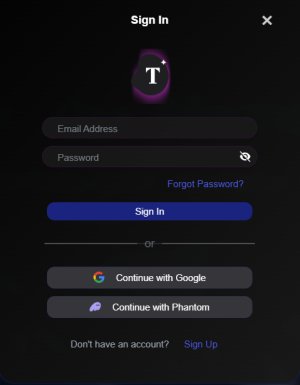
Choose your sign-in method
- Enter your email and password, sign in with Google, or sign in with Phantom.
-
Enter One Time Code (If Required)
- If two-factor authentication is enabled, check your email for a one-time code and enter it.
-
Access your account
- Once verified, you’re logged in and ready to use your account!
Note: Forgot your password? Use the "Forgot Password" link to reset it using your recovery phrase or email.
For added security, we recommend enabling two-factor authentication in your settings.